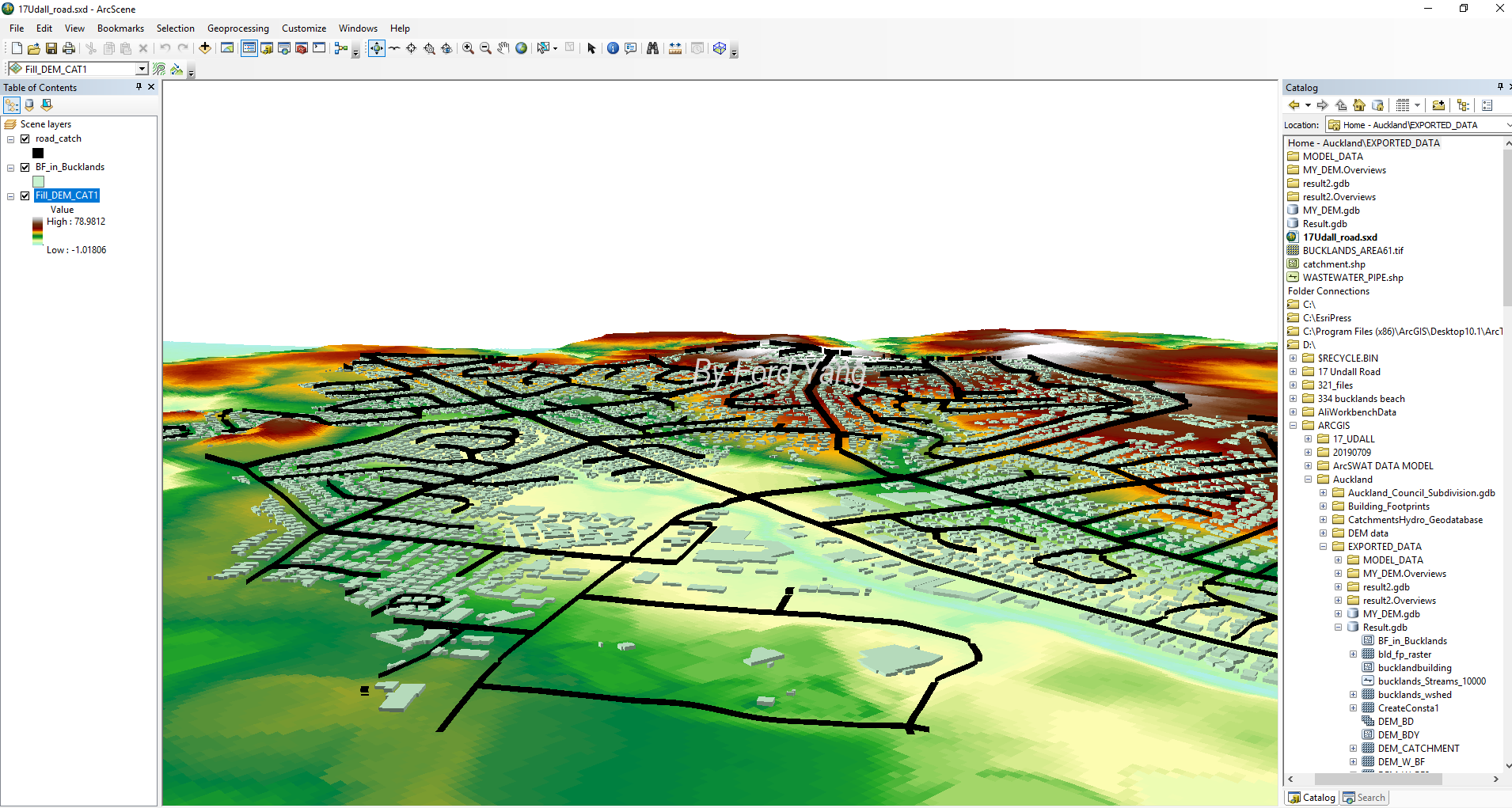
If we want to have an 3D overview of DEM with Building or flooding data, we can use ArcScene.
Load DEM
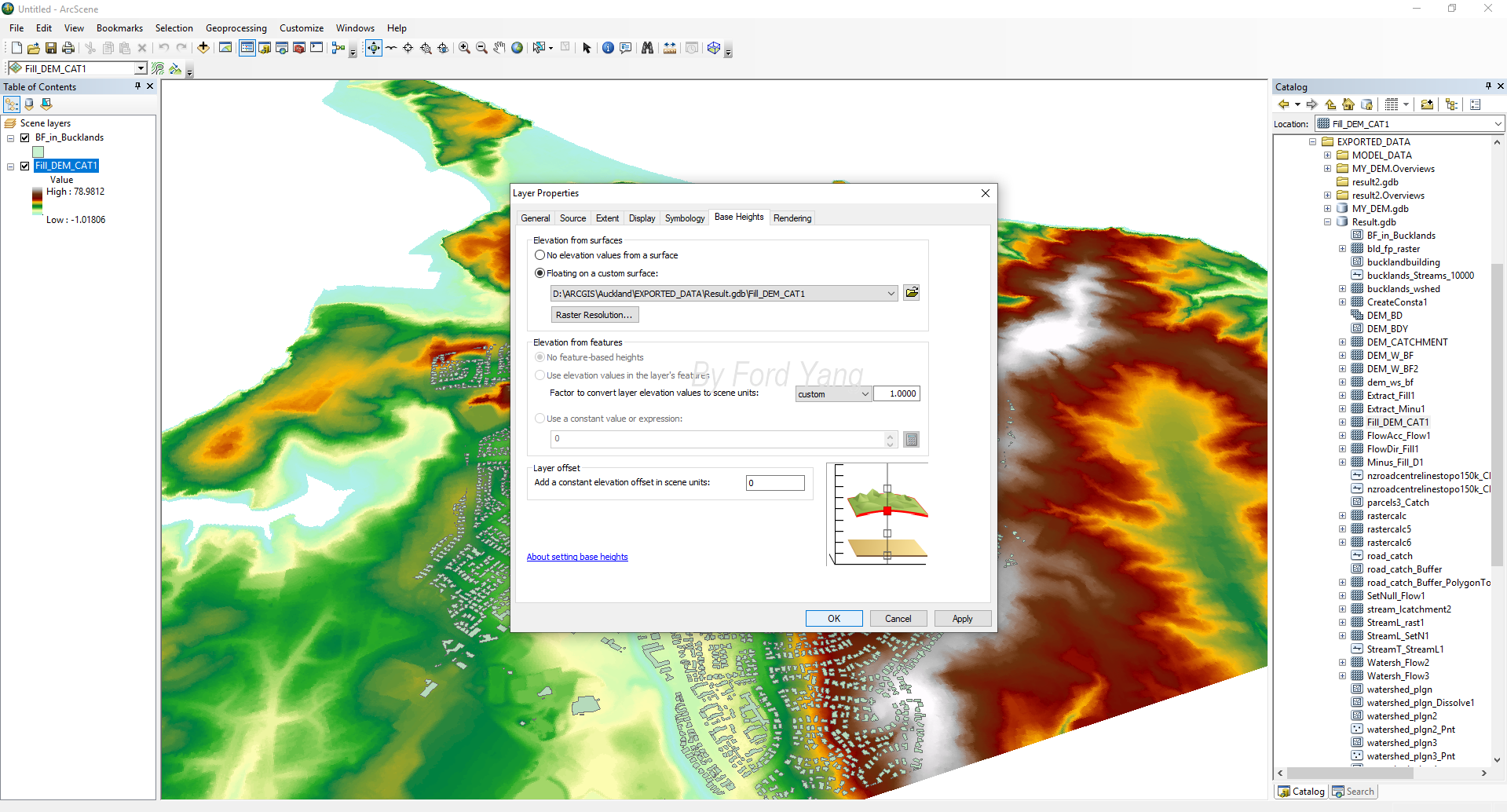
Firstly, we need to load the DEM raster files in ArcScene, and right-click the DEM layer and choose “Property”. Select the “Base Height” Tab as the figure below.
Load Building Footprint Dataset
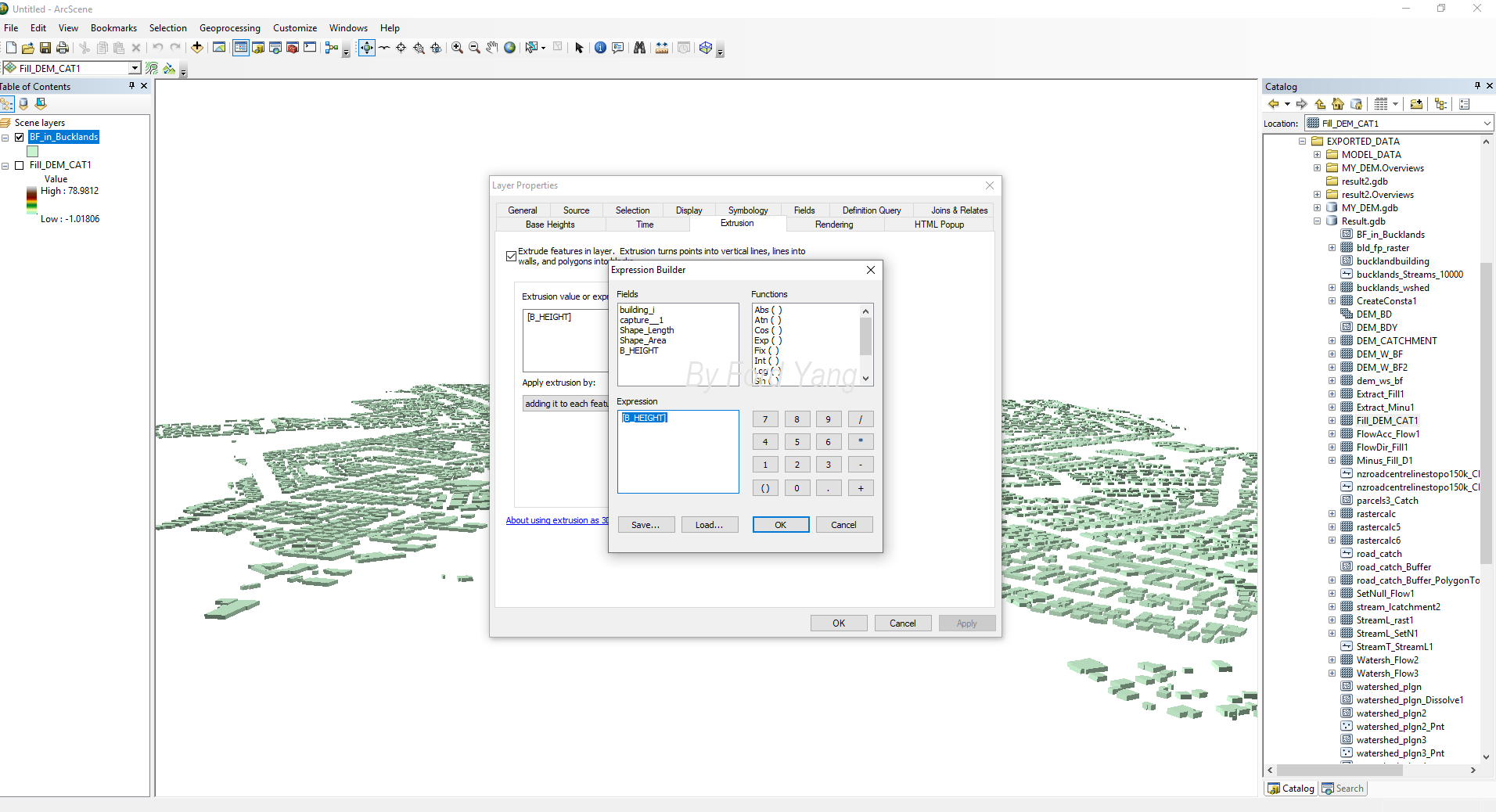
Same as the DEM loading, right-click the “Building Footprint” layer and choose “Property”. Select the “Extrustion” Tab as the figure below. Select the building height filed in the “Expression” box.
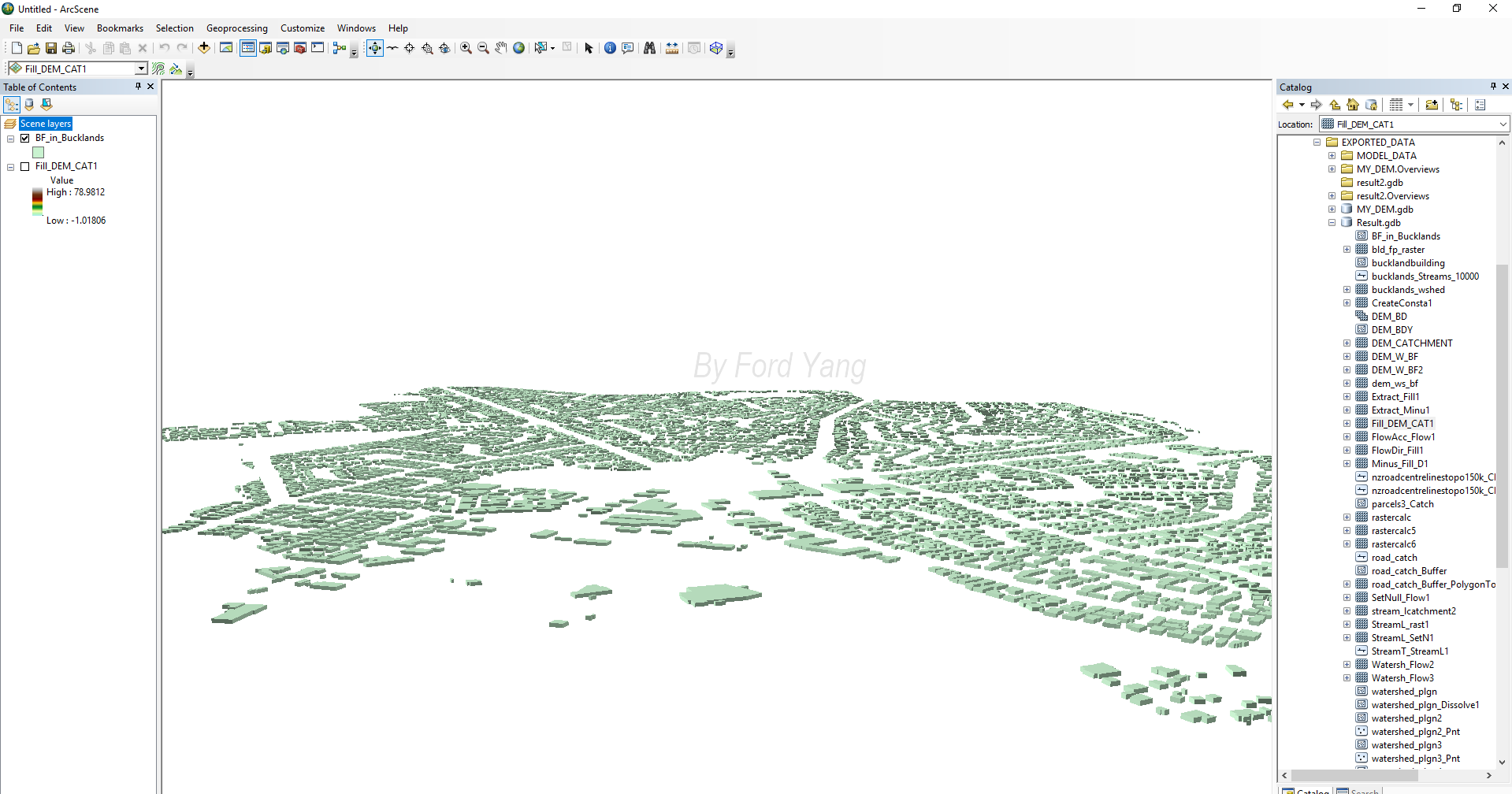
The result is as shown below.
Load the buiding on the DEM
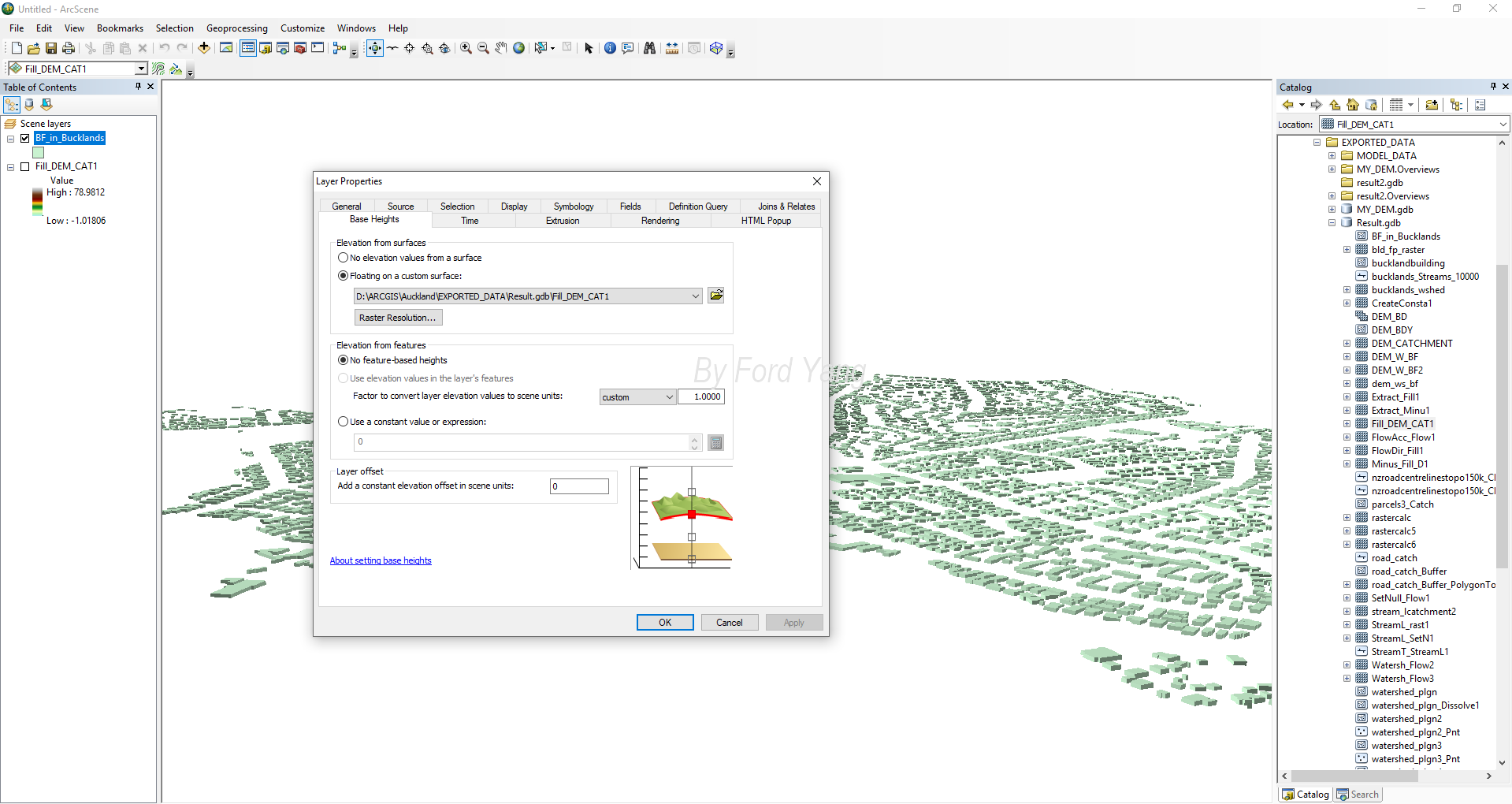
Select the “Base Height” Tab of the building Footprint Dataset as the figure below. Select the DEM Dataset.
Final result
In a similar way, we can load Road, drainage pipe or flooding, and have a 3D view for the Dataset.