1. Background
The same archi friend proposed a new request,
He want to show the default revision(eg. BC LODGEMENT) on sheet when creating the sheet.
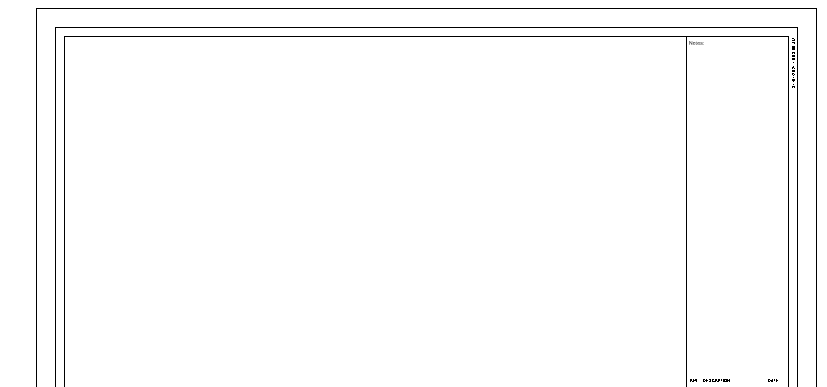
He explained that when creating a sheet, there is no default revision as below.
Unless you mark the plan with cloud line, then the version will show on the same sheet as below.
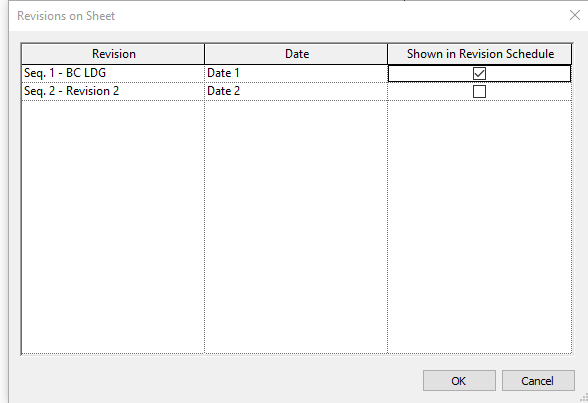
Hence, he can intentionly click shown in Revision Schedule one by one on each sheet, which will be quite time-consuming
At first I think it will be a easy task, but it takes me several hours to understand how the data structure is.
2. Show revision on viewsheet
2.1. Selecting
Firstly, what we need to do is to select all the sheet view , which I have explained clearly in the last part.
var viewSheets = new FilteredElementCollector(doc).OfClass(typeof(ViewSheet)
2.2. Revision “Property”
At first, using the *Revit Lookup to find the properties of the viewsheet. We can find as below , all the revions of a sheet will be accessed by GetAllRevisionIds,
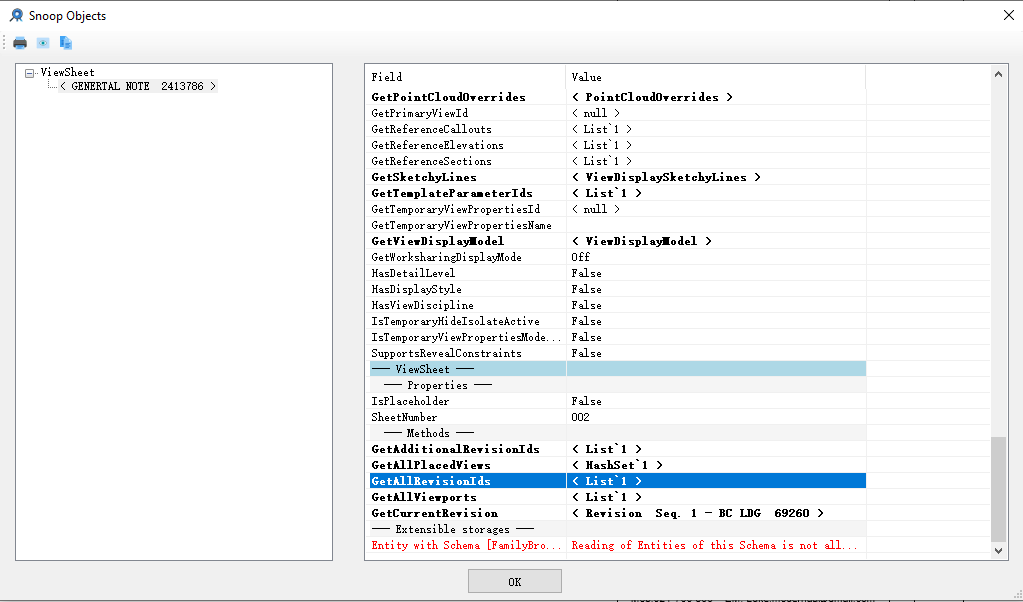
but how to set the revisions of a sheet, let’s look into the ViewSheet
    public class ViewSheet : View
    {
        public string GetRevisionCloudNumberOnSheet(ElementId revisionCloudId);
        public string GetRevisionNumberOnSheet(ElementId revisionId);
        public void SetAdditionalRevisionIds(ICollection projectRevisionIds);
    }
We can tell that we can use the function SetAdditionalRevisionIds(ICollection
But what is the projectRevisionIds, to further understand this, you can refer to Jeremy’s blog, but now we can get from the way below:
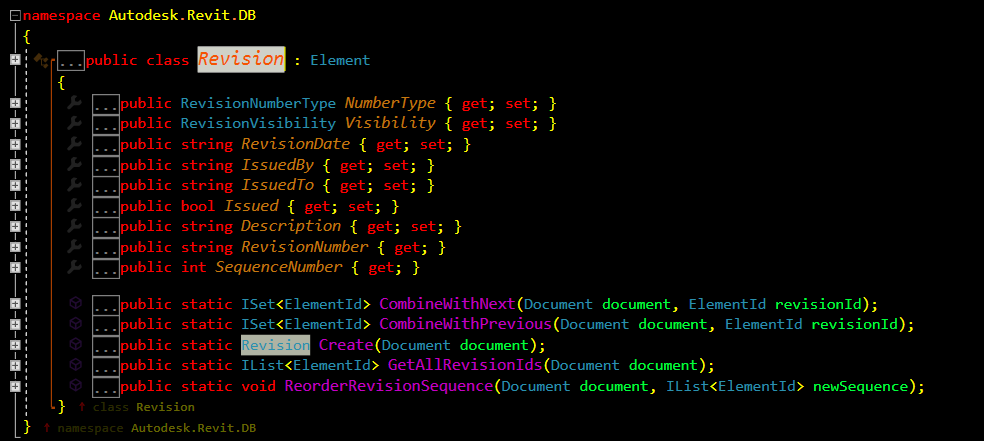
Hence, we can get the all the revisions by
public static IList GetAllRevisionIds(Document document);
We can make if statement to decide which revisions need to add into the current sheet. My friend want all the revisions.The code is as below.
2.3. Full CODE
    [Transaction(TransactionMode.Manual)]
    public class RevisionShown:IExternalCommand
    {
        public Result Execute(ExternalCommandData commandData, ref string message, ElementSet elements)
        {
            //1. Select the current document
            UIDocument uidoc = commandData.Application.ActiveUIDocument;
            Document doc = commandData.Application.ActiveUIDocument.Document;

            IList ids = Revision.GetAllRevisionIds(doc);

            int count = 0;
            using (Transaction t = new Transaction(doc, "ClearMark"))
            {
                t.Start();

                foreach (ViewSheet item in new FilteredElementCollector(doc).OfClass(typeof(ViewSheet)).Cast())
                {

                    item.SetAdditionalRevisionIds(ids);
                    count += 1;

                }
                t.Commit();
            }
            TaskDialog.Show("Result", String.Format("{0} sheets has been modified to BC lodgement, done", count));
            return Result.Succeeded;
        }
    }
4. Reference
https://github.com/jeremytammik/RevitLookup
http://help.autodesk.com/view/RVT/2019/ENU/?guid=Revit_API_Revit_API_Developers_Guide_html
https://thebuildingcoder.typepad.com/blog/2014/06/the-revision-api-and-a-form-on-the-fly.html